Prefix Codes

Contents
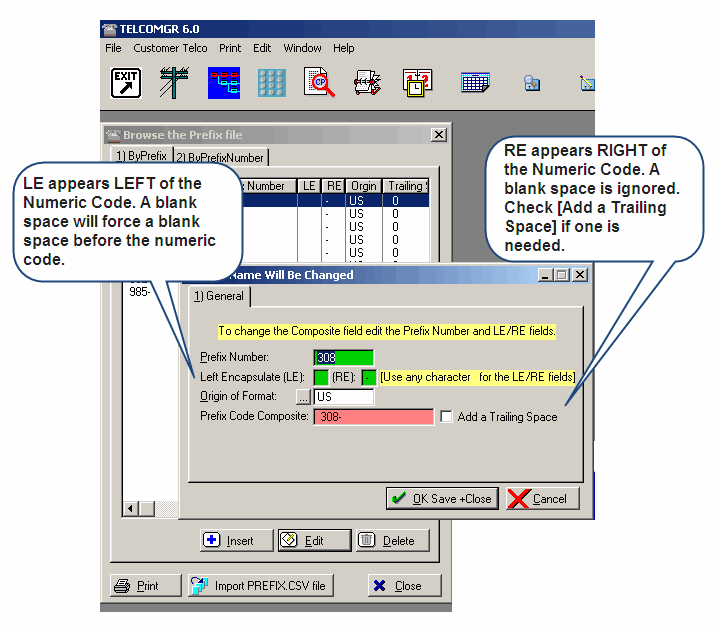
Enter PREFIX CODES or import from a CSV type file.
Notes:
LE appears LEFT of the Numeric Code. A blank space will force a blank space before the numeric code.RE appears RIGHT of the Numeric Code. A blank space is ignored. Check [Add a Trailing Space] if one is needed.
The Composite Code = a concatenation of the LE+Numeric Code+RE.
Common Format: This field is used to record the reference format.
Related Topics: