TelcoMgr™ Application Setup

Contents
Getting Started
Select the [File] option from the main startup screen.
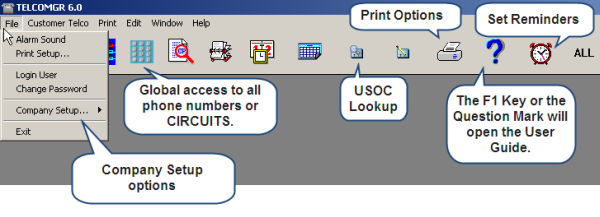
Select the [Setup...] menu option and a list of files that contain standard default values will open. You may add, change or delete any of the default values to match the appropriate services of your Telephone Company.
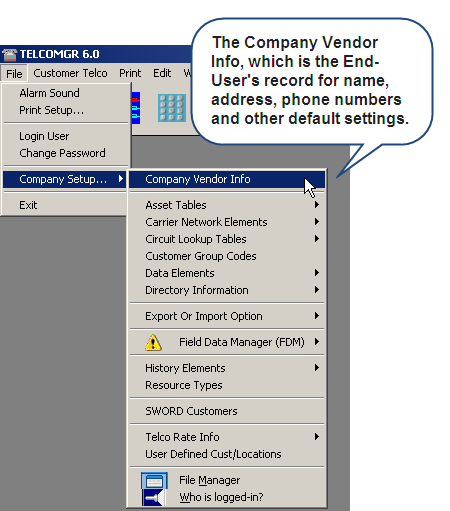
Under the Company Setup ... option:
•Data Network Elements Elements
•Resource Directory Types
•SWORD Customers (Requires Enterprise License and SWORD License)
•User Defined Customers or Locations
•Who is logged-in?