Budget

Contents
TelcoMgr can provide a means to create and track a budget for many telecommunication expenses, including fixed or reoccurring expense and expenses charged by minutes of usage.
A Budget items must be entered into the Rate Comparison table for each expense item to be tracked.
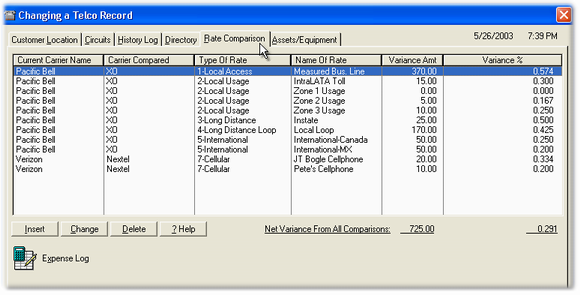
The Budget Amount must be entered into the [Budget Amount] field located on the Telco Rate Calculator or Rate Edit window.
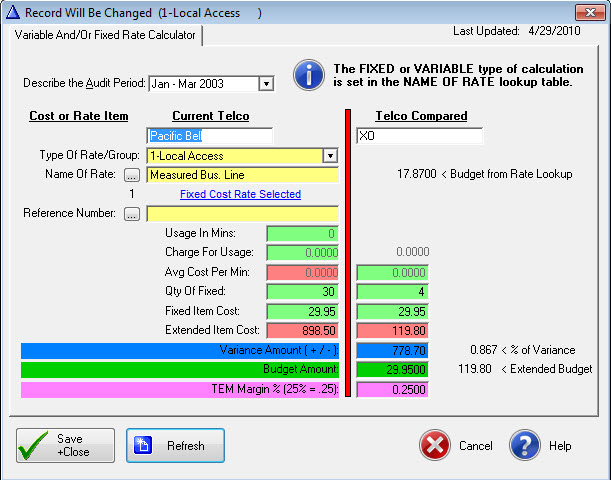
Rate Comparison Edit Window handles Fixed or Variable Charges
The Budget Amount is the quantity one amount of each expense type. Here are some examples of Budget Amounts:
| 1. | Business Line Monthly Amount $25.0000 |
| 2. | InterState Usage $00.0650 |
3. Cellphone Monthly Amount $49.9500
The Margin Amount is a percentage that may be used as an incentive or commission for staff members to find ways to reduce telecommunications expenses.
Budget tracking may be accomplish by logging the expenses into the Expense Log.
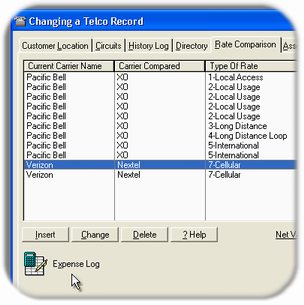
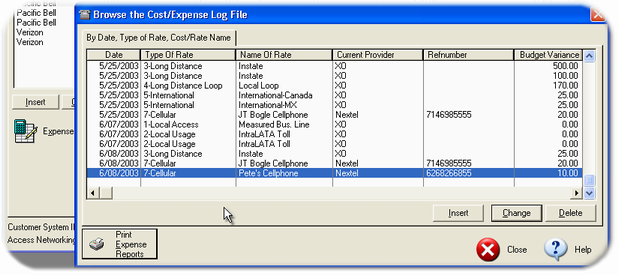
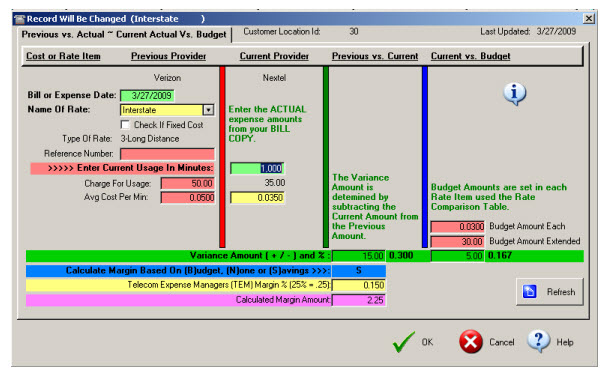
Expense Log Edit Window
The Expense Log Editor and calculation window is very similar to the Rate Comparison calculator. Only the Type of Rates that appear in the Rate Comparison table may be entered into the Expense Log.
The Previous Provider column data is merged from the Rate Comparison entry. The user must enter the minutes of usage or the Qty of Fixed in the Current Provider column.
The Budget column is computed according to the minutes of usage or Qty of Fixed amount entered and multiplied by the Budget amount entered into the Rate Comparison table for a particular expense.
The Margin % must be entered into the Rate Comparison table.
The Margin Amount is computed by the following formula:
(Budget Variance Amount * Margin %)
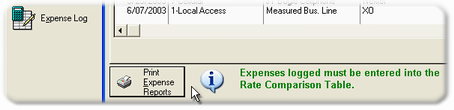
The Expense Reports can only be called from the Browse the Expense Log table.
Related Topics: TEM Fields, TEM Margin and Calculation Methods