Adding Users for Security

Contents
Once you have created your User groups, return to the Security menu and select the Browse Users option.
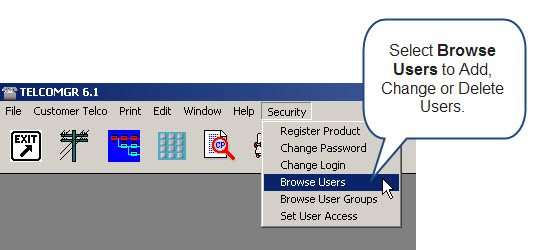
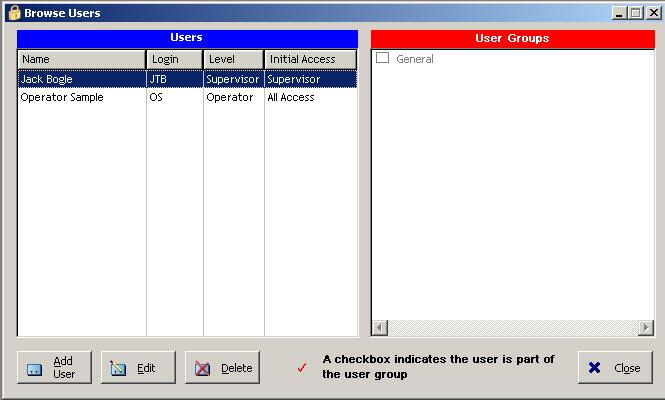
The Browse Users table will open (it may be empty). Click on the [Add User] button to create a new user. You will see a form with First Name, Last Name and Login fields.
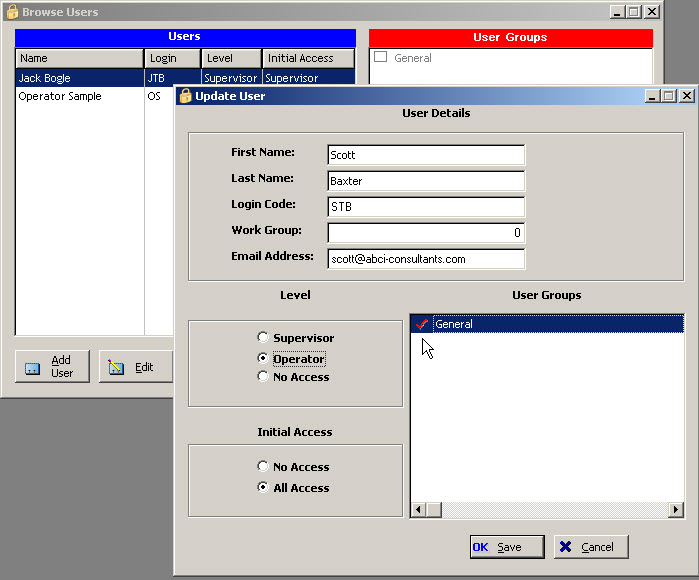
Enter your first user, using there first and last name, and give them a Login code. The Login should be short and easy to type in. For access level, select Operator, unless you want this user to have Supervisor privileges too.
Keep or set the Work Group Code to 0 (zero). Please read more about Work Groups before changing this setting.
Set the default access to "All Access". Users can also inherit other users access levels. Next, select the User Group for this user.
User Login
Every time the application is started you must Login as a user. Access to the various parts of the program are controlled by your Login name. Only a Supervisor can set up Logins and assign security levels.